> ## Documentation Index
> Fetch the complete documentation index at: https://lightdash-mintlify-8f4ff193.mintlify.site/llms.txt
> Use this file to discover all available pages before exploring further.
# Evaluations
> Test and validate your AI agent's performance with custom evaluation suites
Create custom evaluation suites to batch test your agent's performance and ensure consistent, high-quality responses across different scenarios.
 ## How evaluations work
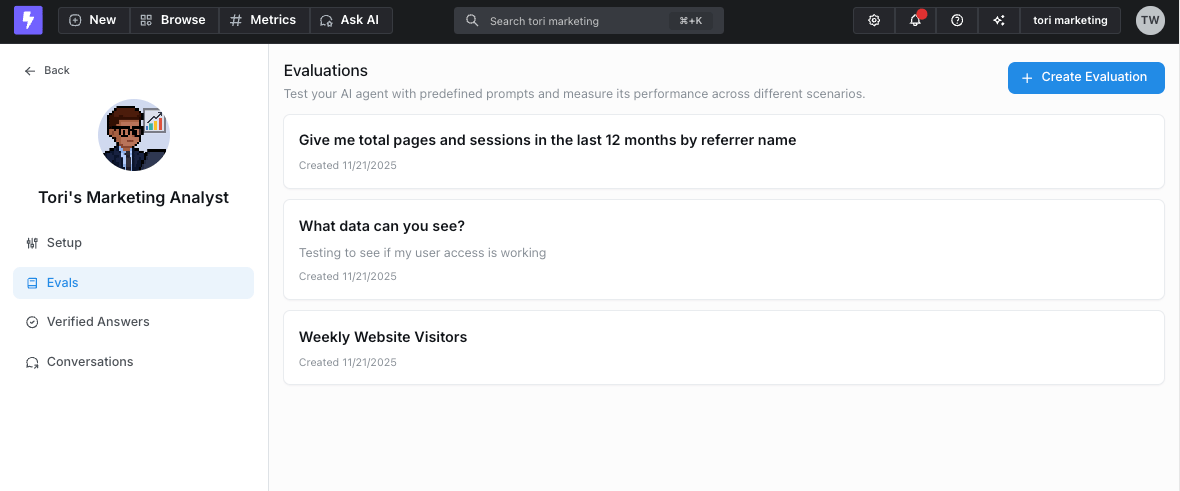
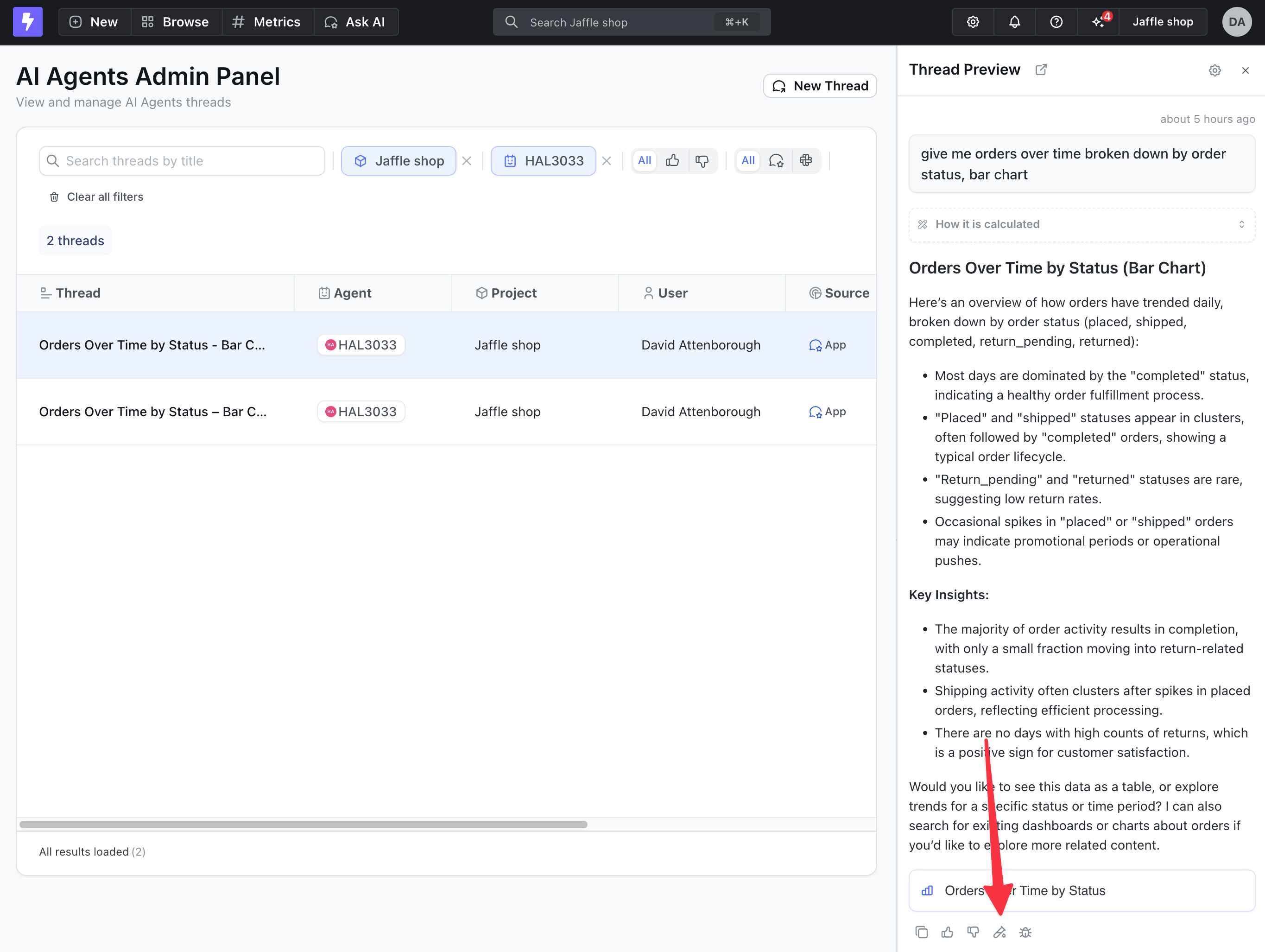
1. **Define evaluation questions** - Build a set of test questions for each agent. You can either:
* Manually create questions that represent common use cases
* Select responses from existing agent conversations in the admin page to add to your evaluation set
## How evaluations work
1. **Define evaluation questions** - Build a set of test questions for each agent. You can either:
* Manually create questions that represent common use cases
* Select responses from existing agent conversations in the admin page to add to your evaluation set
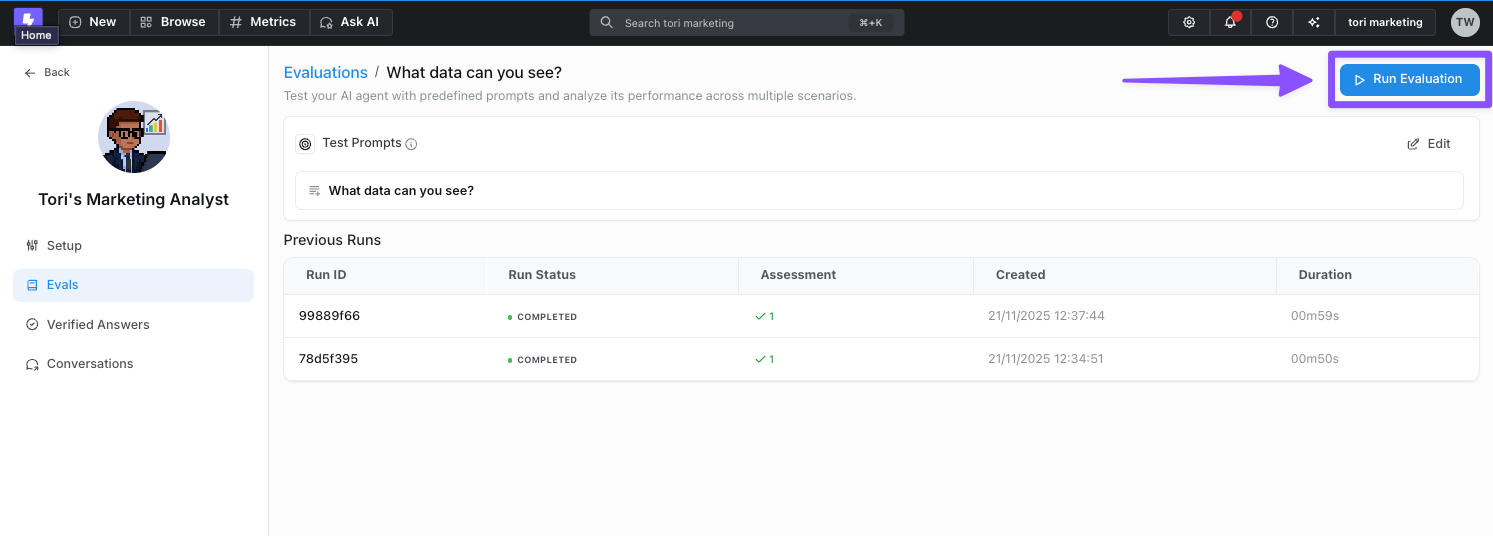
 2. **Run batch tests** - Execute all prompts in your evaluation set against the agent to see how it responds
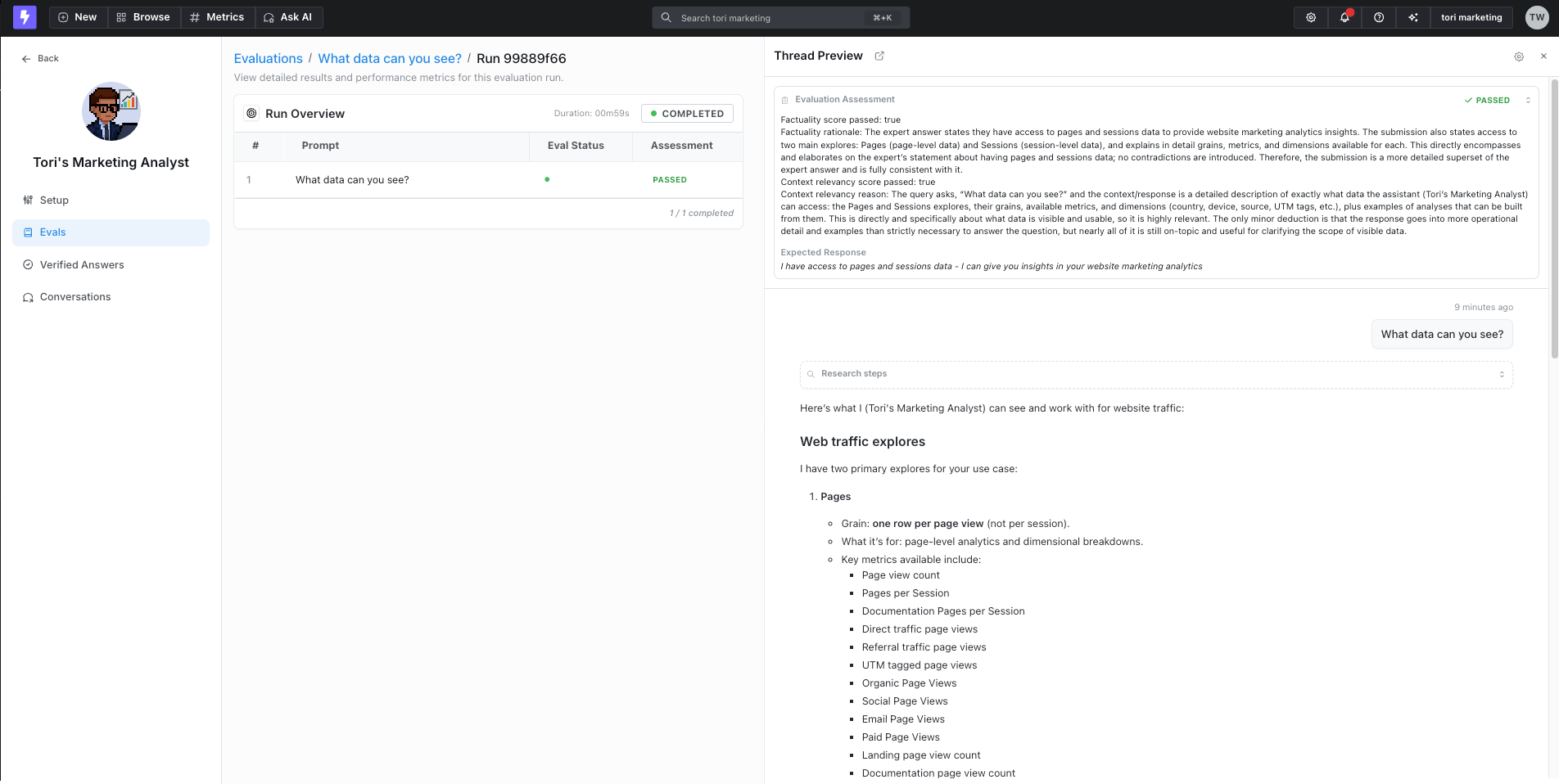
 3. **Review results** - Manually review the agent's responses to ensure they meet your quality standards and expectations
 ## Using feedback to improve evaluations
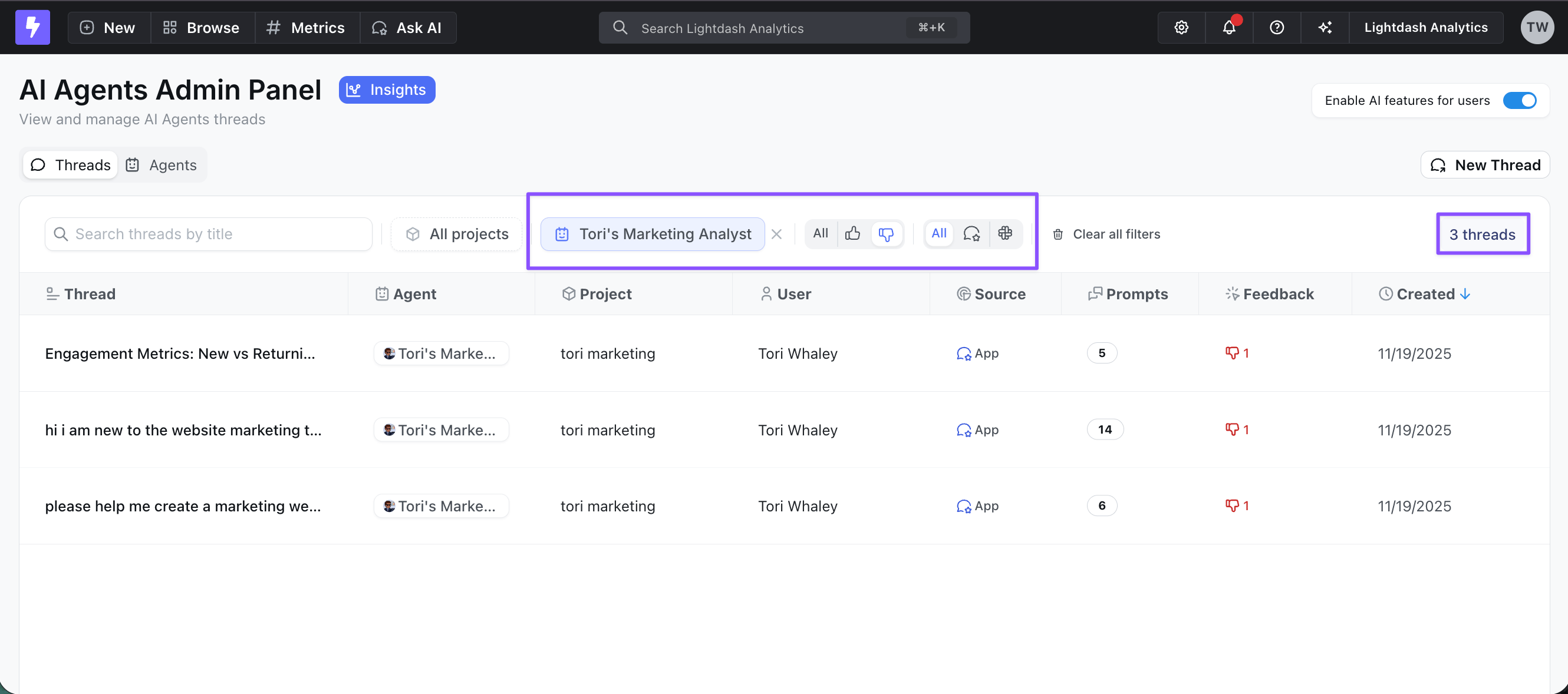
Encourage your team to actively use the thumbs-up/thumbs-down feature when interacting with AI agents. This feedback helps admins in two key ways:
* **Identify improvement areas** - Thumbs-down responses highlight where the agent needs work
* **Build better evaluation sets** - Filter and easily add thumbs-down responses to your evaluation suite to test fixes and prevent regressions
## Using feedback to improve evaluations
Encourage your team to actively use the thumbs-up/thumbs-down feature when interacting with AI agents. This feedback helps admins in two key ways:
* **Identify improvement areas** - Thumbs-down responses highlight where the agent needs work
* **Build better evaluation sets** - Filter and easily add thumbs-down responses to your evaluation suite to test fixes and prevent regressions
 This systematic testing approach helps you:
* Verify agent performance before deploying changes
* Ensure consistency across common queries
This systematic testing approach helps you:
* Verify agent performance before deploying changes
* Ensure consistency across common queries